
Word Search Games
Word Search Games on GamersHell are puzzles where you find hidden words inside a grid of letters, scanning across, down, and diagonally, all playable instantly in your browser.
Top Word Search games
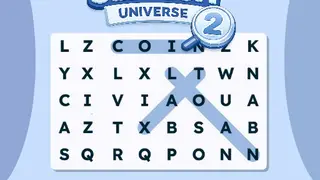

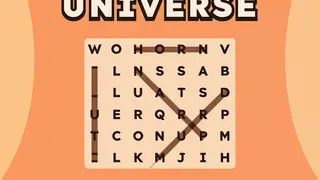
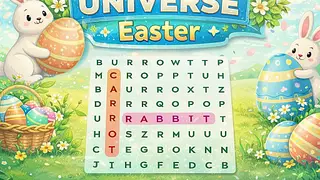
Word Search Games variants we cover
Word Search Games on GamersHell split four ways: Classic Word Search, Themed Word Search, Word Search with Hints, and Hybrid Word Puzzle.
Classic Word Search
Classic Word Search uses a standard 10x10 to 15x15 letter grid with a side-panel list of target words. Words run horizontally, vertically, and diagonally, in forward and sometimes backward directions.
Themed Word Search
Themed Word Search organises every grid around a topic category: animals, food, sports, occupations, geography, holidays. The target word list reflects the theme, helping with vocabulary acquisition in specific areas.
Word Search with Hints
Word Search with Hints adds difficulty-balancing tools: letter highlights, first-letter reveal, or category clues. Useful for younger solvers or for harder puzzles where pure pattern-finding becomes overwhelming.
Hybrid Word Puzzle
Hybrid Word Puzzle formats combine Word Search mechanics with adjacent puzzle types: cooking-themed word recipes, word-construction challenges from grid letters, or multi-stage puzzles where finding a word unlocks the next.
How to play Word Search Games
Word Search Games are played by finding target words hidden in a grid of letters running horizontally, vertically, diagonally, and sometimes backward in any orientation.
Controls
- Click and drag
- Trace a word path from the first letter to the last
- Touch and drag (mobile)
- Same gesture on touch screens
- Click-then-click
- Some games support clicking the first letter then the last
- Hint button
- Highlight one target word's location (if available)
- Pause or restart
- Standard interface controls
Tips
- Read the word list because every Word Search shows a list of target words on the side or bottom of the grid: read them all before scanning the grid.
- Scan one direction at a time rather than scanning the whole grid for one word: scan one row left-to-right for any words from your list, then columns, then diagonals.
- Look for distinctive starting letters because words starting with Q, X, Z, or J are easier to spot since those letters are rare in random grids.
- Mark words visually because drawing through a found word with the cursor makes the line stay and prevents re-searching the same area twice.
- Check word endings too because some words are easier to spot by their ending letters than starting letters: tion suffix, ing suffix, common patterns.
- Find all target words listed for the puzzle: completion is binary, all-or-nothing, with the puzzle ending only when every word from the list has been traced.
Why Word Search Games stands out
GamersHell collects 10 Word Search Games spanning classic, themed, kids, and hybrid formats playable instantly in the browser with no download or printable PDF workflow.
- In-browser interactive play. Most online word searches force a print-and-solve workflow with PDF downloads. GamersHell word searches render directly in the browser with click-drag word marking and instant validation.
- Themed universes for vocabulary range. The Universe series rotates through topical themes (food, animals, holidays, sports) so vocabulary builds across categories rather than repeating the same general word pool every puzzle.
- Difficulty stepping. Classic, Themed, and Hard variants give a clean difficulty progression from quick-solve to extended puzzles: useful for matching session length to available time and skill.
- No paper, no pencil. Word search apps elsewhere often require printing for proper marking. GamersHell handles the marking in-browser with the drag-trace gesture and instant completion feedback.
Word Search Games FAQ
Word Search Games on GamersHell answer common questions below about rules, variants, free access, mobile play, and the difference between Word Search and Crossword.
- How do you play Word Search?
- Word Search shows a grid of letters and a list of target words. You scan the grid for each word: words run horizontally, vertically, diagonally, or backward. When you find one, click-drag through its letters to mark it.
- Are Word Search games free on GamersHell?
- Yes, every Word Search game on GamersHell is free to play in your browser with no download or signup required. All 10 titles across classic, themed, with-hints, and hybrid variants stay free.
- What is the difference between Word Search and Crossword puzzles?
- Word Search shows you the target words and asks you to find them already hidden in a letter grid. Crossword gives you clues to decode into words and write into the grid. Word Search tests pattern recognition; Crossword tests vocabulary.
- Can words run backward in Word Search?
- Yes, depending on the puzzle. Easier word searches restrict words to forward directions (left-to-right, top-to-bottom). Harder variants add backward versions: right-to-left, bottom-to-top, and reversed diagonals across the grid.
- Can you play Word Search on mobile?
- Yes, every Word Search game on GamersHell renders responsively for mobile browsers with touch-drag for marking found words. The grid scales to fit narrow screens and the word list usually moves below the grid on mobile.
- What is the best Word Search game for beginners?
- Classic Word Search with kid-friendly themes is the easiest starting point with smaller grids, common vocabulary, and forward-only word placement. Once comfortable, themed Word Search Universe variants add topic-specific vocabulary.
- How do you get faster at Word Search?
- Two main techniques. First, read the entire word list before scanning the grid so you spot multiple targets in one scan instead of restarting per word. Second, scan one direction systematically rather than randomly.