
Merge Games
Merge Games on GamersHell are puzzles where you combine identical items to create new, higher-tier elements, all playable instantly in your browser.
Top Merge games
-
Merge Rainbow Fighting
-
M2 Blocks 2048
-
Fruit Merge 2048 – Juicy Puzzle
-
Cube Merge Game
-
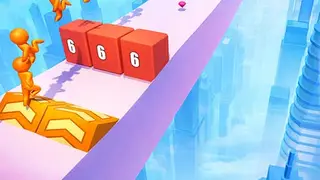
Cube Minion Rush
-
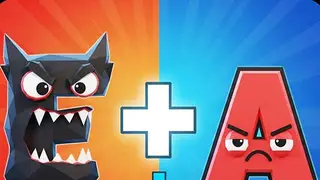
Alphabet Merge Challenge
-
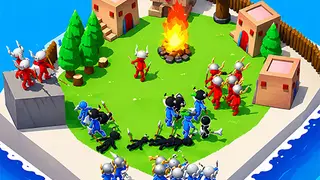
Island Merge War
-
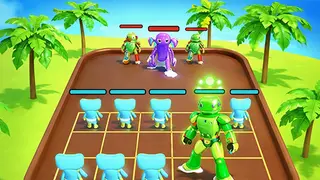
Poppy and Glamrock Merge
-
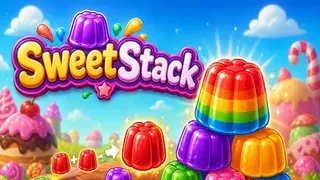
SweetStack
-
Sweets Merge
-
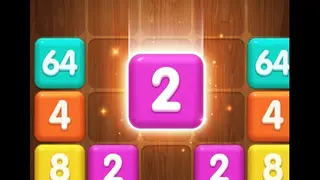
2048 Neon Game
-

Animal Merge: Zoo Drop
-
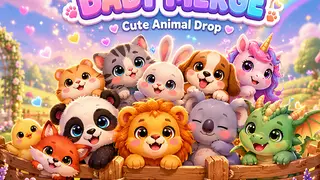
Baby Merge: Puzzle Master
-
Craft Number
-
Foodies 2048
-
Hexa Merge 2048: Puzzle
-
Hex Merge Puzzle
-
Merge Brick
-

President 2048
-
Sweet Merge Puzzle
Merge Games variants we cover
Merge Games on GamersHell split four ways: Fruit and Sweets Merge, Number Merge, Geometric Merge, and Animal and Themed Merge.
Fruit and Sweets Merge
Fruit and Sweets Merge uses the popular Watermelon-game format: drop fruits into a container; matching fruits combine into the next tier in the chain (cherry, strawberry, grape, watermelon). The most recognisable merge sub-genre.
Number Merge (2048-style)
Number Merge follows the 2048 doubling pattern: matching tiles combine into their double (2+2=4, 4+4=8, etc.). The merge-2048 hybrid puts 2048 mechanics into the drop-and-combine merge interface.
Geometric Merge (Hex, Cube, Block)
Geometric Merge uses hexagonal, cubic, or block-shaped tiles instead of fruit or numbers: the merge mechanic stays identical but the spatial layout changes the strategy. Hex gives six adjacency directions, squares give four.
Animal and Themed Merge
Animal and Themed Merge wraps the merge mechanic around animals, character themes, or alphabet pieces: the merge chain still progresses Tier-1 through Top Tier, but visual identity differs. Family-friendly themed variant.
How to play Merge Games
Merge Games are played by combining two identical items into a single higher-tier item, repeating across the board, and chaining merges until you reach the goal-tier piece.
Controls
- Click and drag
- Move an item onto a matching identical item to merge
- Drop (drop-style games)
- Click or tap to drop the next item into the container
- Next-item preview
- Shows the upcoming item before you drop it
- Undo (if available)
- Reverse the last merge or drop
- Restart
- Clear the board to start a fresh run
Tips
- Identify the chain because every merge game has a fixed Tier 1 through Top Tier sequence: learn it before playing, since the merge chain is usually shown at the side or top of the screen.
- Match identical items first because two Tier-1 items merge into one Tier-2 item: you cannot merge across tiers, so pair identical items as they become available.
- Plan space, not just merges, because merge games end when the board fills up: reserve open positions on the edges or corners so you can keep placing new Tier-1 items.
- Stack matching tiers near each other because matching identical items should be placed adjacent or near-adjacent so the merge action is a quick drag, not a board-crossing move.
- Save the highest tier for last because if you build up a Tier-5 piece early, leave space for the next Tier-5 to merge into Tier-6: do not trap your highest-tier piece in a corner.
- Reach the goal Tier (often the chain top: Watermelon in fruit variants, 2048 in number variants) without filling the board first.
Why Merge Games stands out
GamersHell hosts 13 Merge Games covering fruit, number, geometric, and themed merge formats: the broadest browser-playable merge selection in the catalog.
- 13 distinct Merge titles. Four sub-variants all represented: fruit and sweets (3), number merge with 2048 mechanics (3), geometric hex and cube (3), and animal and themed merges (6 titles).
- Browser-native, no app install. Most merge games today are mobile apps with ad-heavy monetisation. GamersHell merge games run instantly in the browser tab with no install and no ads between rounds.
- Variant filtering at the tag level. Players who specifically want fruit merge can land on the variant via the sub-genre cluster, not just on the broad merge tag. The H3 clusters make sub-variant discovery direct.
- Mix of drop and drag formats. Both the Watermelon-style drop format (you do not pick where the next item lands) and the manual drag format (you place each item exactly) are in the catalog.
Merge Games FAQ
Merge Games on GamersHell answer common questions below about rules, variants, free access, mobile play, and the difference between merge and 2048.
- How do you play Merge Games?
- Drop or drag identical items together to combine them into the next-tier item. Two cherries become a strawberry, two strawberries become a grape, and so on up the chain.
- Are Merge Games free on GamersHell?
- Yes, every Merge Game on GamersHell is free to play in your browser with no download or signup required. All 13 titles across fruit, number, geometric, and themed merge variants stay free.
- What is the difference between Merge Games and 2048?
- 2048 is technically a number merge where you slide identical number tiles together and they double. The broader Merge Games genre uses the same mechanic but expands beyond numbers to fruits, animals, hex shapes.
- What is the Watermelon Game format?
- Watermelon Game is the most popular Merge Game format: drop fruits into a container, identical fruits combine into the next fruit in the chain (cherry, strawberry, watermelon). Released in 2021, it sparked the merge wave.
- Can you play Merge Games on mobile?
- Yes, every Merge Game on GamersHell renders responsively for mobile browsers. Touch-drag moves items, tap drops items in drop-format games. The merge mechanic works particularly well on mobile.
- How do you win Merge Games?
- Two win conditions exist depending on the variant. Goal-tier games end when you create the top-tier piece (Watermelon, 2048 tile, etc.), while endless games never end and score as high as possible.
- What is the best Merge Game for beginners?
- Sweet Merge Puzzle and Animal Merge Zoo Drop are friendly starting points with simple chains, forgiving pace, and no time pressure. Once comfortable, Fruit Merge 2048 introduces hybrid mechanics.