
3D Games
3D Games on GamersHell are titles rendered in three-dimensional graphics with depth, perspective, and immersive environments, all playable instantly in your browser.
Top 3D games
-
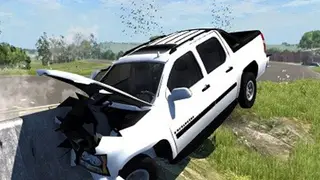
Ultra Crash Car Simulator 2026
-
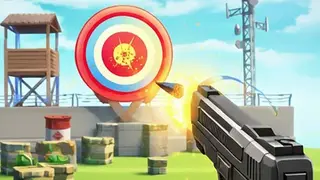
Target Hit Shooting Range
-
World Conqueror
-
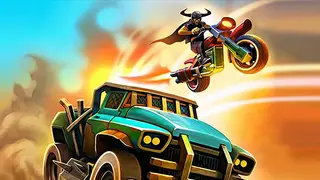
Dead Paradise
-

Drive Pro 3D
-

Quad Bike Racing Game
-

Retro X Racer
-
Penguin.io
-
Fire Balls Shoot 3D
-
Stickman Hit 3D
-

Breakthrough Team
-
Zombie Shooter Sniper Game
-
Epicshooter3d
-
Escape the Lava
-
Mahjong Fruit 3D
-

Mahjong Toy Chest
-
Spider Solitaire 3D
-

Offroad Truck Driving Simulator
-

Stunt Car Crash 3D
-

Tetromino Attack
-
Word Connect Crossword Puzzle
-

3D Breakfast Prapare
-

Air Combat: Jet Fighter
-
Ludo King Offline Ludo Game
3D Games variants we cover
3D Browser Games on GamersHell split four ways: 3D Racing and Driving, 3D Shooter and Action, 3D Ball Physics and Runner, and 3D Puzzle and Crossover.
3D Racing and Driving
3D Racing and Driving uses real depth perspective for car, kart, and stunt driving: proper 3D track layouts with elevation changes, perspective-correct turning, and physics-based collision. The largest 3D sub-genre in our catalog.
3D Shooter and Action
3D Shooter and Action delivers first-person and third-person shooting with proper 3D space: aim through depth, account for distance and angle, use cover and elevation. WebGL rendering enables console-grade shooter gameplay in browser.
3D Ball Physics and Runner
3D Ball Physics and Runner uses WebGL physics for ball-based gameplay and endless-runner formats: roll, bounce, balance, fall through 3D environments where momentum and direction matter to outcome.
3D Puzzle and Crossover
3D Puzzle and Crossover wraps 3D rendering around traditional puzzle formats: Mahjong with stacked 3D tile boards, Spider Solitaire with 3D card animations, Crossword with three-dimensional grid presentation.
How to play 3D Games
3D Browser Games are played with controls that account for the third dimension: movement on three axes (XYZ) rather than two, aim across depth, and physics-based interactions.
Controls
- WASD or arrow keys
- Movement (forward, back, strafe left, strafe right)
- Mouse move
- Camera angle and aim direction
- Mouse wheel
- Zoom in/out (some titles)
- Spacebar
- Jump (most 3D action and runner games)
- Left click
- Primary action (shoot, interact, accelerate in racing)
- Right click
- Secondary action (scope, alternate fire, brake)
- Shift
- Sprint or boost (action and racing)
- C or Ctrl
- Crouch (shooter variants)
Tips
- Calibrate camera sensitivity early because 3D games rely on mouse-look; if sensitivity is too high or low, aiming becomes difficult. Most 3D games have a sensitivity slider.
- Read the 3D environment because depth perception in browser 3D is harder than desktop 3D; use shadows, scale references, and horizon lines to gauge distance.
- Account for momentum in racing and physics because 3D physics carries momentum; brake early before turns and jump with forward momentum rather than from standing.
- Use the third dimension defensively in 3D shooters because cover requires line-of-sight blocking; hide behind walls, crouch behind cover, use elevation to avoid being seen.
- Manage frame rate because 3D browser games are more demanding than 2D; close other tabs, enable hardware acceleration, and prefer Chrome or Firefox for WebGL performance.
- Complete the level objective whether that is finishing the race, eliminating the targets, solving the puzzle, or reaching the end of the runner course (varies by sub-variant).
Why 3D Games stands out
GamersHell hosts 28 3D Browser Games across racing, shooter, physics, and puzzle variants: the largest 3D selection playable instantly in the browser with no plugin or download.
- 28 distinct 3D titles. Four sub-variants represented: racing (8), shooter (5), physics/runner (8), and puzzle (7) all well-represented. Players who want 3D find genuine depth here.
- WebGL-native, no plugin. All 3D games use modern WebGL rendering supported by current browsers. No Unity Web Player, no Flash, no plugin install. Performance now approaches desktop quality.
- Cross-tag membership is the rule. Drive Pro 3D appears in /t/driving and /t/car-racing; Spider Solitaire 3D in /t/spider-solitaire. The 3D tag filters by rendering style; specific tags filter by gameplay.
- Mix of session lengths. Quick 3D arcade titles (1-3 minutes) sit alongside racing rounds (5-10 minutes) and deeper puzzle sessions. Players can match session length to available time.
3D Games FAQ
3D Browser Games on GamersHell answer common questions below about variants, controls, free access, mobile play, system requirements, and the difference between 3D and 2D.
- How do you play 3D browser games?
- 3D browser games use WASD for movement, mouse for camera and aim, and contextual keys (spacebar, left/right click) for actions. The third dimension means you account for depth, height, and distance.
- Are 3D browser games free on GamersHell?
- Yes, every 3D game on GamersHell is free to play in your browser with no download or signup required. All 28 titles across 3D racing, shooter, physics, and puzzle variants stay free.
- What is the difference between 3D and 2D browser games?
- 2D games render on a flat plane with no depth perception needed. 3D games render in real three-dimensional space where depth matters, camera angle matters, and momentum has direction. 3D is more demanding on hardware.
- Do 3D browser games need a plugin?
- No, modern 3D browser games use WebGL which is built into all current browsers (Chrome, Firefox, Safari, Edge). No Unity Web Player, no Flash, no plugin install. Major improvement over the 2010s.
- Can you play 3D games on mobile?
- Most 3D games on GamersHell render on mobile browsers but performance varies. Newer phones (2022+) handle WebGL well; older devices may stutter. Touch controls map differently in 3D - typically virtual joystick for movement.
- What hardware do you need for 3D browser games?
- For smooth play modern hardware helps: a graphics card from the last 5-7 years, 4GB+ RAM, and a current browser with hardware acceleration enabled. Older hardware can still play simpler 3D titles.
- What is the best 3D game for beginners?
- Ball Sort Master 3D and Mahjong Fruit 3D are friendly starting points with 3D presentation wrapped around familiar puzzle mechanics, no time pressure, and no twitch-aim required. Drive Pro 3D introduces racing controls.